

Free CRM for Small Business: What to Actually Look For
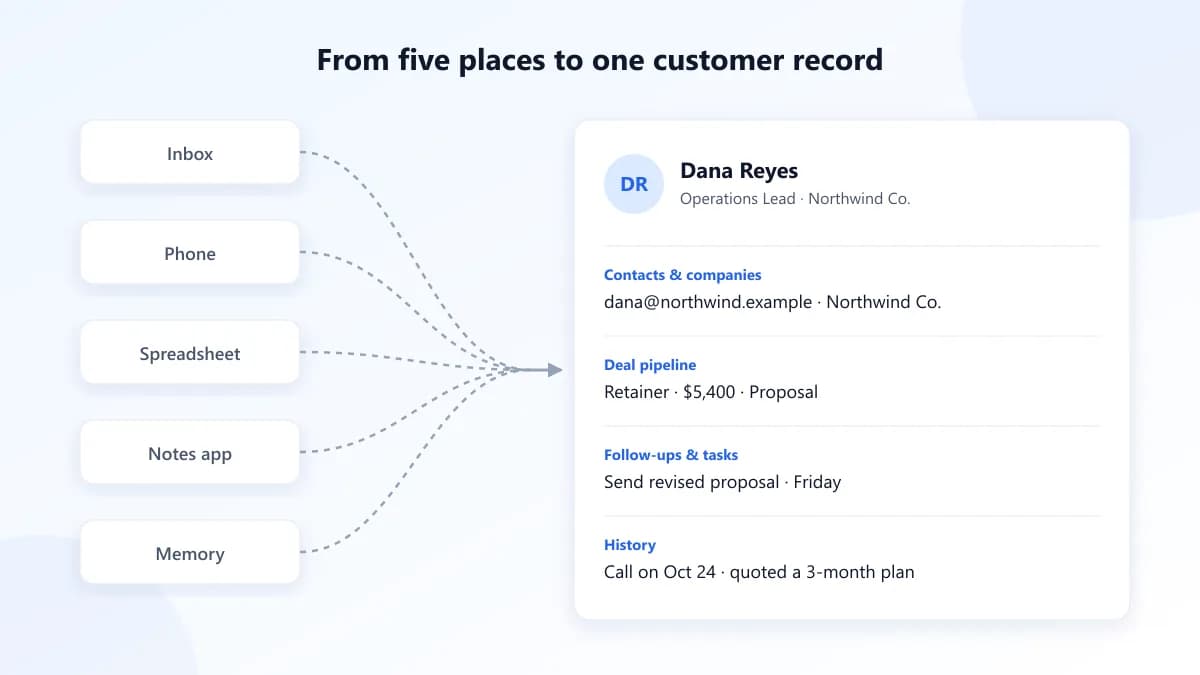
If you run a small business, your customer list probably lives in five places at once: your inbox, your phone, a spreadsheet, a notes app, and your head. That works until a lead you spoke to three weeks ago signs with someone else because nobody followed up. Most people start searching for a free CRM for small business at exactly that point.
The good news is that you don't need an enterprise sales platform. The bad news is that "free" covers everything from genuinely useful tools to plans built to push you into an expensive upgrade. Here's how to tell them apart.
What a CRM actually does
A CRM (customer relationship management tool) has one core job: it keeps everything you know about a customer in one place, and it reminds you what to do next.
In practice, that means:
- Contacts and companies: names, emails, phone numbers, and how people are connected to the businesses they work for.
- A deal pipeline: every potential sale, the stage it's at, and what it's worth.
- Follow-ups and tasks: reminders to call, email, or send a proposal, so nothing depends on your memory.
- History: what you discussed, what you quoted, and when you last spoke.
Everything else, like reports, automations, and integrations, is useful but secondary. If a tool doesn't do those four things well, the extras won't save it.
Signs you've outgrown spreadsheets
Spreadsheets are a reasonable place to start. They stop working when:
- You lose track of follow-ups. A spreadsheet can't remind you of anything. If follow-ups only happen when you remember them, some won't happen at all.
- Two people edit the same list. As soon as a partner or employee is involved, you get duplicate rows, conflicting notes, and "who called them last?"
- You can't see your pipeline at a glance. If you can't answer "how much business is likely to close this month?" in under a minute, your data isn't working for you.
- Context is scattered. The contact is in the sheet, the conversation is in your inbox, and the quote is in a folder somewhere.
If two or more of these sound familiar, a CRM will probably pay for itself in deals you no longer lose.
What to look for in a free CRM
When comparing free CRM tools for small business use, look past the feature list and check these practical points:
- Enough contacts to be useful. Some free plans cap you at a few hundred contacts, which a busy freelancer can hit within a year. Check the limit against your real list, not your list today.
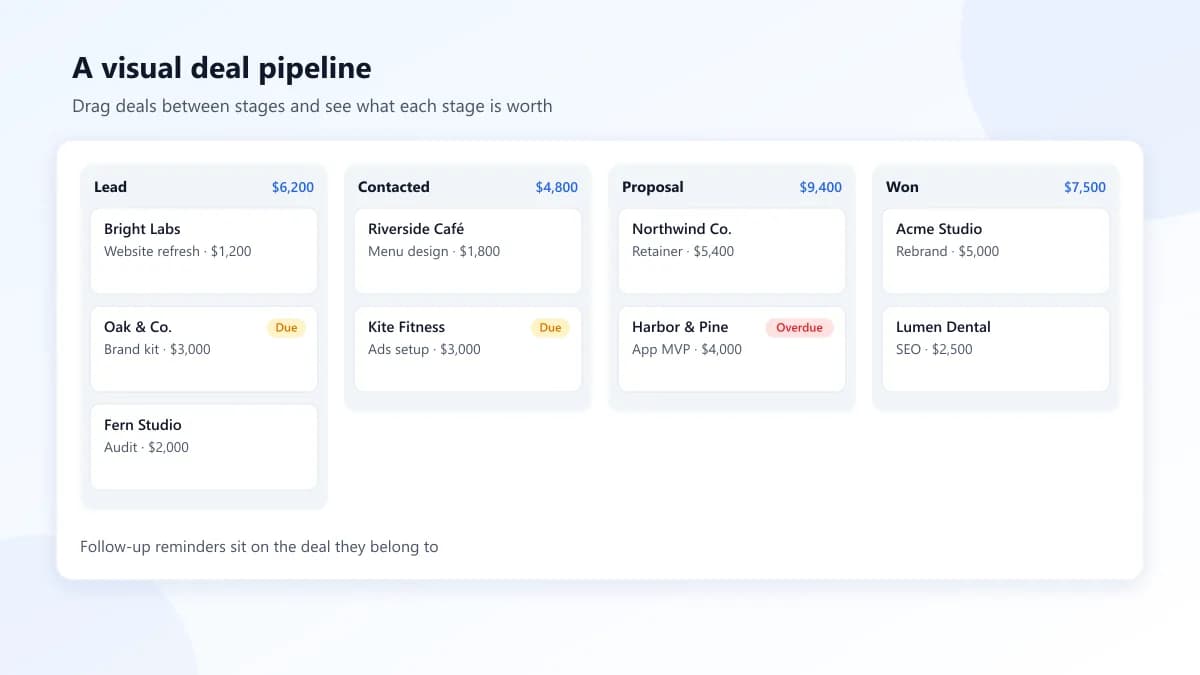
- A visual pipeline. You should be able to drag deals between stages and see totals per stage. This is the feature you'll use most.
- Tasks and reminders tied to contacts. A follow-up should live on the contact or deal it relates to, not in a separate to-do app.
- Easy import and export. You should be able to bring in your spreadsheet in minutes, and take your data out again whenever you want. If exporting is hard, treat that as a warning sign.
- More than one user, if you need it. If you work with even one other person, check whether the free plan allows it.
- A clean interface. If the tool feels like work, you'll stop updating it, and a CRM nobody updates is worse than a spreadsheet.
Common limits and traps of "free" plans
Free plans aren't charity. They're a way to get you in the door, and that's fine as long as you know the terms. Watch for:
- Feature gating on the basics. Some tools give you contacts for free but charge for pipelines, reminders, or email tracking, the parts that actually help you sell.
- Steep upgrade jumps. Going from free to the first paid tier can mean a big price per user, sometimes with a minimum seat count or annual commitment.
- Data lock-in. Exports may be limited to paid plans, or exported in formats that are hard to use elsewhere.
- Branding and limits on customer-facing items. Free tiers often add the vendor's logo to emails or forms, or cap how many you can send.
- Disconnected tools. A free CRM handles contacts, but you still pay separately for project management and invoicing, and copy data between them by hand.
The cheapest option on day one isn't always the cheapest after a year. Add up what you'd actually pay once you need the features you rely on.
How Celaris approaches this
We built Celaris for small businesses that want their CRM and their day-to-day operations in one place. It isn't a free CRM. It's a paid all-in-one workspace, and we'd rather be upfront about that.
In Celaris, contacts and companies are linked together, and you can group them into segments for targeted outreach. Deals move through a drag-and-drop pipeline with forecasts by stage. When a contact needs attention, the AI follow-up assistant can draft a follow-up message for you, and tasks keep next steps attached to the right people. When a deal closes, you can send an invoice from the same workspace instead of switching tools.
If you've priced out a free CRM plus separate apps for tasks and invoicing, compare that total against our plans. For many small teams, one tool turns out simpler and cheaper.
The bottom line
The best free CRM for small business is the one you'll actually keep updated. Look for a real pipeline, reminders tied to contacts, easy exports, and honest upgrade pricing. Be cautious with any plan that makes the basics hard to reach.
If you want contacts, deals, follow-ups, tasks, and invoicing in one place, create your Celaris workspace and see how it fits the way you work.
Run your business from one place
Contacts, deals, projects, tasks, and invoices — all in Celaris.
Get started