

How to Manage Client Invoices Without Spreadsheets
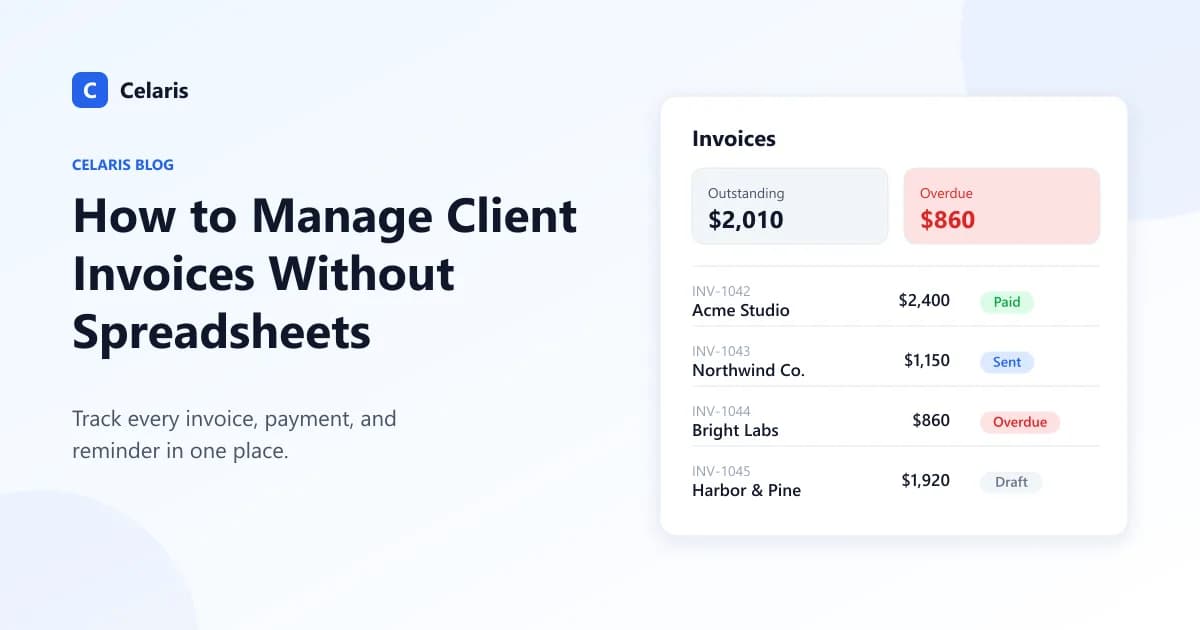
Almost every freelancer and small agency starts invoicing the same way: a spreadsheet with client names, amounts, due dates, and a "Paid?" column. It's free, it's familiar, and for the first handful of clients it works fine.
Then the business grows. You have twenty open invoices, three of them overdue, one client paid half, and you can't remember whether you sent the reminder last Tuesday or just meant to. The spreadsheet hasn't broken — but it has stopped telling you the truth.
Why spreadsheets fail at invoicing
Spreadsheets are great at storing numbers. They're bad at workflow. The problems usually look like this:
- Status is manual. An invoice doesn't become "overdue" on its own — someone has to notice and update a cell.
- Data lives in too many places. The client's email is in your inbox, the project scope is in a doc, the invoice PDF is in a folder, and the payment status is in the sheet.
- Version drift. Copy a row to create next month's invoice and you'll eventually send a client last month's amount — or the wrong invoice number.
- No history. When a client disputes a charge, reconstructing what was billed and when is detective work.
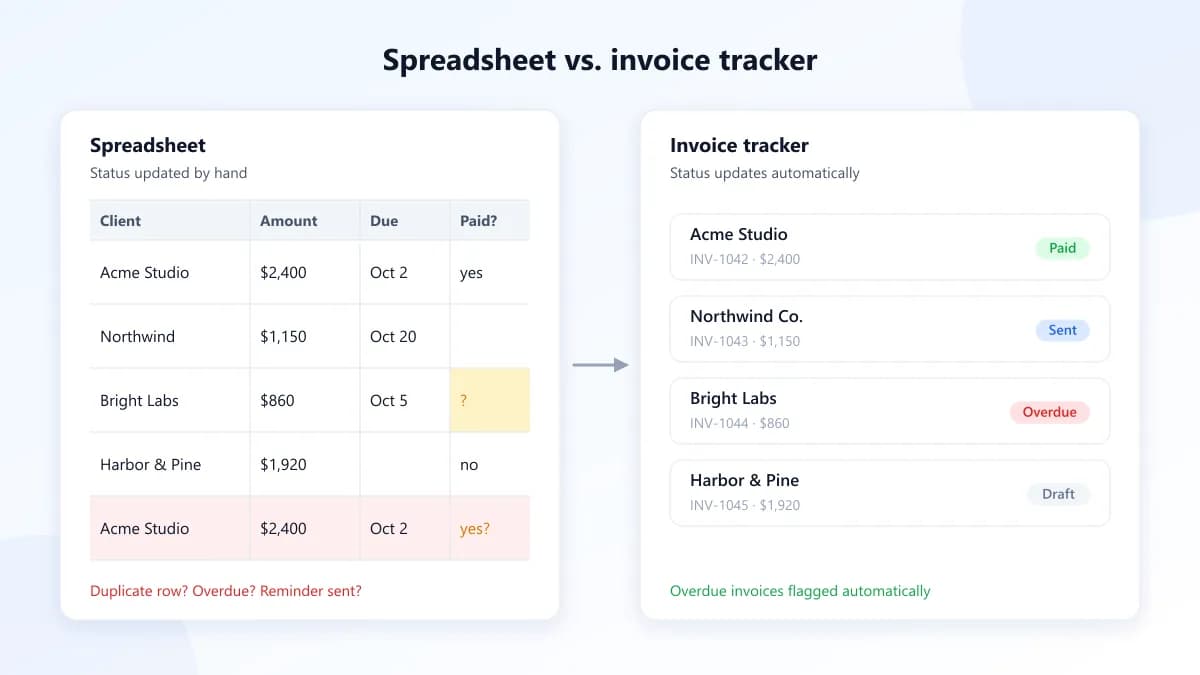
None of this is dramatic on any single day. But late payments compound: every week an invoice sits unnoticed is a week of cash flow you don't have.
What a good invoicing system actually needs
You don't need enterprise accounting software. You need a few things done reliably:
- One record per client. Contact details, past invoices, and outstanding balance in the same place.
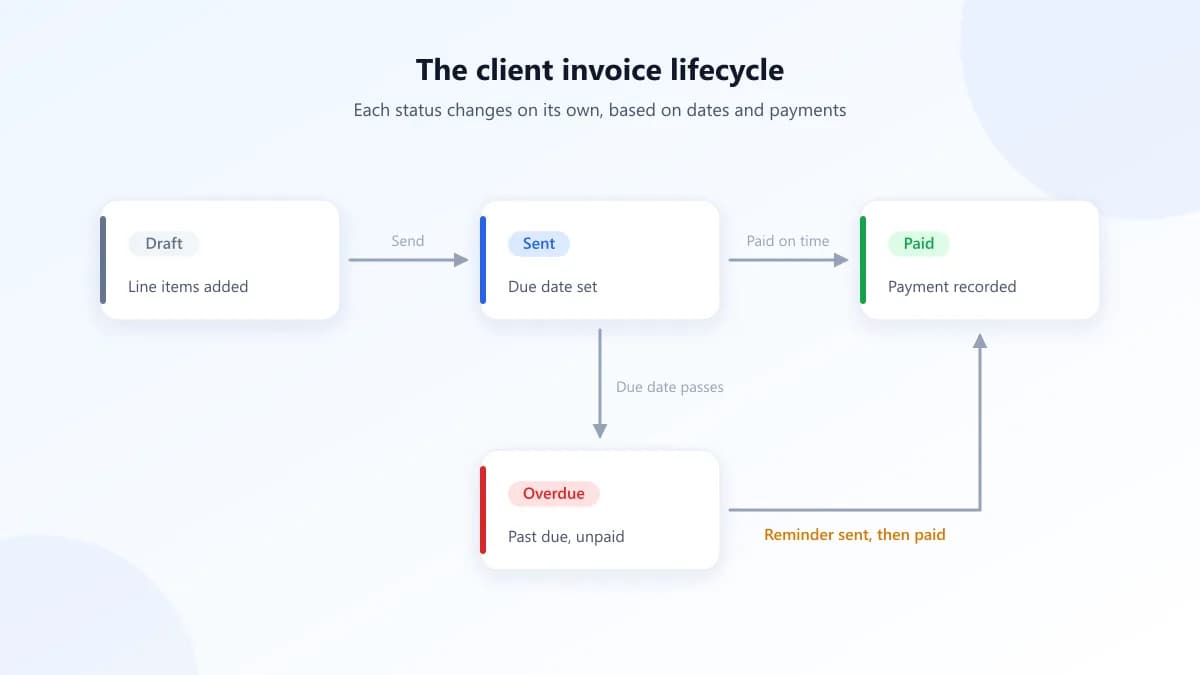
- Automatic status tracking. Draft, sent, paid, and overdue should update themselves based on dates and payments — not on your memory.
- Reusable line items. If you bill the same services repeatedly, you should pick them from a list instead of retyping descriptions and rates.
- Recurring invoices. Retainers and monthly plans should generate on schedule without you rebuilding them each time.
- An easy way for clients to pay. A shareable invoice link gets paid faster than a PDF buried in an email thread.
A simple process you can start this week
Whatever tool you use, the habits matter more than the software:
- Invoice on the day work is delivered. The longer you wait, the longer you wait to get paid.
- Set clear payment terms (Net 14 or Net 30) and put the due date on every invoice.
- Review open invoices once a week. Fifteen minutes every Friday is enough to catch anything slipping.
- Follow up politely and early. A friendly reminder a day or two after the due date resolves most late payments.
How Celaris handles this
We built Celaris because we were tired of stitching together a CRM, a project tool, and an invoicing spreadsheet. In Celaris, invoices live right next to the contacts, deals, and projects they belong to, so you always have the full picture of a client in one view.
You can save your common services in the Product Library and add them to any invoice in a couple of clicks, set up recurring billing for retainers, and share each invoice through a secure link (with a QR code) so clients can view it without logging in. Your dashboard shows outstanding and overdue amounts at a glance, so the Friday review takes minutes instead of an afternoon.
The bottom line
Spreadsheets aren't wrong — they're just not built to run a process. If you're spending more time maintaining your invoice tracker than actually getting paid, it's time for a system that keeps itself up to date.
Ready to try it? See Celaris pricing or create your workspace and send your first invoice today.
Run your business from one place
Contacts, deals, projects, tasks, and invoices — all in Celaris.
Get started